第20课 语音控制智能家居系统#
20.1 项目介绍#
经过前面一系列的语音控制项目的学习,我们是不是可以通过智能语音模块控制智能家居更多传感器模块呢?当然是可以的。在本项目实验中,通过ESP32主控板控制更多传感器模块,然后通过智能语音模块进行实时语音播报智能家居的温湿度、雨水量等。同时,它还能控制LED灯进行照明,控制SK6812,控制门开与关,控制窗户开与关,控制电机模块和音乐播放等。

20.2 实验组件#
|
|
|
|
|---|---|---|---|
ESP32 Plus主板 *1 |
XHT11传感器 *1 |
黄色LED模块 *1 |
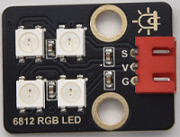
SK6812RGB灯模块 *1 |
|
|
|
|
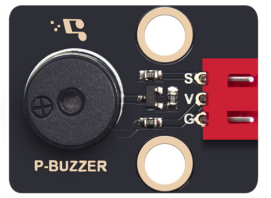
无源蜂鸣器 *1 |
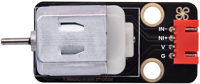
130电机模块 *1 |
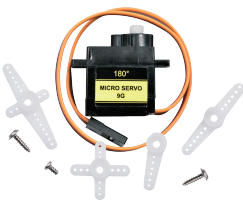
180度舵机 *2 |
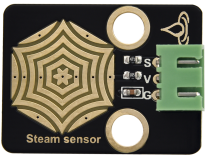
水滴传感器 *1 |
|
|
|
|
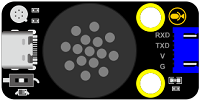
智能语音模块 *1 |
4P线 *3 |
风扇叶 *1 |
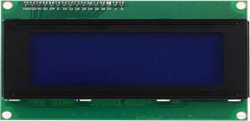
I2C LCD1602模块 * 1 |
|
|
||
3P线 *5 |
USB线 *1 |
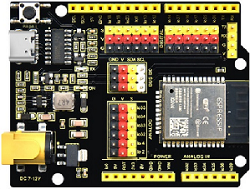
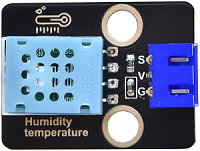
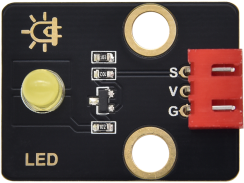

20.3 模块接线图#
⚠️ 特别注意:智能家居已经组装好了,这里不需要把所有的传感器和模块都拆下来又重新组装和接线。由于传感器和模块较多,接线图中的接线复杂会导致传感器和模块的引脚接线看不清,所以使用表格来表示传感器和模块的引脚连接到ESP32主控板上的对应引脚,也是为了方便您编写代码!
传感器模块名称 |
传感器模块引脚 |
ESP32 Plus主板对应的接线 |
|---|---|---|
无源蜂鸣器 |
G/V/S |
G/V/io25 |
黄色LED模块 |
G/V/S |
G/V/io12 |
130电机模块 |
GND/VCC/IN+/IN- |
G/V/io19/io18 |
控制门的舵机1 |
棕色线/红色线/橙色线 |
G/V/io13 |
控制窗的舵机2 |
棕色线/红色线/橙色线 |
G/V/io5 |
XHT11模块 |
G/V/S |
G/V/io17 |
SK6812RGB灯模块 |
G/V/S |
G/V/io26 |
LCD1602显示屏模块 |
GND/VCC/SDA/SCL |
GND/V/SDA/SCL |
水滴传感器模块 |
G/V/S |
G/V/io34 |
智能语音模块 |
G/V/TXD/RXD |
G/V/io16/io27 |
20.4 代码流程图#

20.5 实验代码#
/*
* 文件名 : Voice-Control-Smart-Home
* 功能 : 结合智能语音控制模块和所有传感器模拟语音控制智能家居
* 编译IDE:ARDUINO 2.3.6
* 作者 : https://www.keyesrobot.cn/
*/
// 导入库文件
#include <SoftwareSerial.h>
#include <Wire.h>
#include <LiquidCrystal_I2C.h>
#include <ESP32Servo.h>
#include <dht11.h>
#include <Adafruit_NeoPixel.h>
#ifdef __AVR__
#include <avr/power.h> // 需要 16 MHz Adafruit Trinket
#endif
// 定义引脚常量
const int LED_PIN = 12; // 定义LED引脚
const int SteamPin = 34; // 定义水滴传感器引脚
const int BuzzerPin = 25; // 定义无源蜂鸣器引脚
const int MotorPin1 = 19; // (IN+)
const int MotorPin2 = 18; // (IN-)
const int DHT11PIN = 17; // 温湿度传感器的引脚
const int RX_PIN = 27; // 引脚 GPIO27 为 RX
const int TX_PIN = 16; // 引脚 GPIO5 为 TX
const int servoPin1 = 5; // 定义窗户上舵机引脚
const int servoPin2 = 13; // 定义门上舵机引脚
const int SK6812RGB_PIN = 26; // NeoPixel数据引脚
const int RGB_COUNT = 4; // 新像素数
Servo windowServo; // 窗户舵机
Servo doorServo; // 门舵机
SoftwareSerial mySerial(RX_PIN, TX_PIN); // 定义软件串口引脚(RX, TX)
Adafruit_NeoPixel strip(RGB_COUNT, SK6812RGB_PIN, NEO_GRB + NEO_KHZ800);
LiquidCrystal_I2C lcd(0x27, 16, 2); // 定义LCD地址和行列
dht11 DHT11; // 初始化dht11
// 舵机角度参数
int windowOpenAngle = 100; // 窗户打开角度
int windowCloseAngle = 0; // 窗户关闭角度
int doorOpenAngle = 180; // 门打开角度
int doorCloseAngle = 0; // 门关闭角度
// 状态变量
bool windowState = false; // 窗户状态:false-关闭, true-打开
bool doorState = false; // 门状态:false-关闭, true-打开
// LED亮度等级
const int LED_OFF = 0;
const int LED_DIM = 50;
const int LED_MEDIUM = 150;
const int LED_BRIGHT = 255;
// 定义变量
volatile int yuyin;
volatile double AnalogValue;
volatile int Value1;
volatile int Temperature;
volatile int Humidity;
// 串口发送消息最大长度
#define UART_SEND_MAX 32
#define UART_MSG_HEAD_LEN 2
#define UART_MSG_FOOT_LEN 2
// 串口发送消息号
#define U_MSG_bozhensgshu 1
#define U_MSG_boxiaoshu 2
#define U_MSG_bobao1 3
#define U_MSG_bobao2 4
#define U_MSG_bobao3 5
#define U_MSG_bobao4 6
#define U_MSG_bobao5 7
#define U_MSG_bobao6 8
#define U_MSG_bobao7 9
#define U_MSG_bobao8 10
#define U_MSG_bobao9 11
#define U_MSG_bobao10 12
#define U_MSG_bobao11 13
#define U_MSG_bobao12 14
#define U_MSG_bobao13 15
#define U_MSG_bobao14 16
#define U_MSG_bobao15 17
#define U_MSG_bobao16 18
#define U_MSG_bobao17 19
#define U_MSG_bobao18 20
// 串口消息参数类型
typedef union {
double d_double;
int d_int;
unsigned char d_ucs[8];
char d_char;
unsigned char d_uchar;
unsigned long d_long;
short d_short;
float d_float;}uart_param_t;
// 串口发送函数实现
void _uart_send_impl(unsigned char* buff, int len) {
// TODO: 调用项目实际的串口发送函数
for(int i=0;i<len;i++){
mySerial.write (*buff++);
}
}
// 串口通信消息尾
const unsigned char g_uart_send_foot[] = {
0x55, 0xaa
};
// 十六位整数转32位整数
void _int16_to_int32(uart_param_t* param) {
if (sizeof(int) >= 4)
return;
unsigned long value = param->d_long;
unsigned long sign = (value >> 15) & 1;
unsigned long v = value;
if (sign)
v = 0xFFFF0000 | value;
uart_param_t p; p.d_long = v;
param->d_ucs[0] = p.d_ucs[0];
param->d_ucs[1] = p.d_ucs[1];
param->d_ucs[2] = p.d_ucs[2];
param->d_ucs[3] = p.d_ucs[3];
}
// 浮点数转双精度
void _float_to_double(uart_param_t* param) {
if (sizeof(int) >= 4)
return;
unsigned long value = param->d_long;
unsigned long sign = value >> 31;
unsigned long M = value & 0x007FFFFF;
unsigned long e = ((value >> 23 ) & 0xFF) - 127 + 1023;
uart_param_t p0, p1;
p1.d_long = ((sign & 1) << 31) | ((e & 0x7FF) << 20) | (M >> 3);
param->d_ucs[0] = p0.d_ucs[0];
param->d_ucs[1] = p0.d_ucs[1];
param->d_ucs[2] = p0.d_ucs[2];
param->d_ucs[3] = p0.d_ucs[3];
param->d_ucs[4] = p1.d_ucs[0];
param->d_ucs[5] = p1.d_ucs[1];
param->d_ucs[6] = p1.d_ucs[2];
param->d_ucs[7] = p1.d_ucs[3];
}
// 串口通信消息头
const unsigned char g_uart_send_head[] = {
0xaa, 0x55
};
// 播报函数1
void _uart_bobao1() {
uart_param_t param;
int i = 0;
unsigned char buff[UART_SEND_MAX] = {0};
for (i = 0; i < UART_MSG_HEAD_LEN; i++) {
buff[i + 0] = g_uart_send_head[i];
}
buff[2] = U_MSG_bobao1;
for (i = 0; i < UART_MSG_FOOT_LEN; i++) {
buff[i + 3] = g_uart_send_foot[i];
}
_uart_send_impl(buff, 5);
}
// 播报函数2
void _uart_bobao2() {
uart_param_t param;
int i = 0;
unsigned char buff[UART_SEND_MAX] = {0};
for (i = 0; i < UART_MSG_HEAD_LEN; i++) {
buff[i + 0] = g_uart_send_head[i];
}
buff[2] = U_MSG_bobao2;
for (i = 0; i < UART_MSG_FOOT_LEN; i++) {
buff[i + 3] = g_uart_send_foot[i];
}
_uart_send_impl(buff, 5);
}
// 播报函数3
void _uart_bobao3() {
uart_param_t param;
int i = 0;
unsigned char buff[UART_SEND_MAX] = {0};
for (i = 0; i < UART_MSG_HEAD_LEN; i++) {
buff[i + 0] = g_uart_send_head[i];
}
buff[2] = U_MSG_bobao3;
for (i = 0; i < UART_MSG_FOOT_LEN; i++) {
buff[i + 3] = g_uart_send_foot[i];
}
_uart_send_impl(buff, 5);
}
// 播报函数4
void _uart_bobao4() {
uart_param_t param;
int i = 0;
unsigned char buff[UART_SEND_MAX] = {0};
for (i = 0; i < UART_MSG_HEAD_LEN; i++) {
buff[i + 0] = g_uart_send_head[i];
}
buff[2] = U_MSG_bobao4;
for (i = 0; i < UART_MSG_FOOT_LEN; i++) {
buff[i + 3] = g_uart_send_foot[i];
}
_uart_send_impl(buff, 5);
}
// 播报整数
void _uart_bozhensgshu(int zhengshu) {
uart_param_t param;
int i = 0;
unsigned char buff[UART_SEND_MAX] = {0};
for (i = 0; i < UART_MSG_HEAD_LEN; i++) {
buff[i + 0] = g_uart_send_head[i];
}
buff[2] = U_MSG_bozhensgshu;
param.d_int = zhengshu;
_int16_to_int32(¶m);
buff[3] = param.d_ucs[0];
buff[4] = param.d_ucs[1];
buff[5] = 0;
buff[6] = 0;
for (i = 0; i < UART_MSG_FOOT_LEN; i++) {
buff[i + 7] = g_uart_send_foot[i];
}
_uart_send_impl(buff, 9);
}
void setup(){
Serial.begin(9600); // 硬件串口(与电脑通信)
mySerial.begin(9600); // 软件串口(与外设通信)
yuyin = 0; // 定义变量yuyin初始值为0
AnalogValue = 0; // 定义变量AnalogValue初始值为0
Value1 = 0; // 定义变量Value1初始值为0
Temperature = 0; // 定义变量Temperature初始值为0
Humidity = 0; // 定义变量Humidity初始值为0
Wire.begin(21,22); // 定义LCD通信引脚
lcd.init(); // 初始化LCD
lcd.backlight(); // 打开LCD背光
lcd.display(); // 打开LCD显示
lcd.clear(); // LCD清屏
pinMode(SteamPin, INPUT); // 设置水滴传感器引脚为输入模式
pinMode(BuzzerPin, OUTPUT); // 设置蜂鸣器引脚为输出模式
pinMode(MotorPin1,OUTPUT); // 设置MotorPin1(IN+)引脚为输出模式
pinMode(MotorPin2,OUTPUT); // 设置MotorPin2(IN-)引脚为输出模式
pinMode(LED_PIN, OUTPUT); // 设置LED引脚为输出模式
windowServo.attach(servoPin1); // 初始化窗户舵机
doorServo.attach(servoPin2); // 初始化门舵机
windowServo.write(windowCloseAngle); // 初始窗户位置:关闭状态
doorServo.write(doorCloseAngle); // 初始门位置:关闭状态
#if defined(__AVR_ATtiny85__) && (F_CPU == 16000000)
clock_prescale_set(clock_div_1);
#endif
strip.begin(); // 初始化新像素条
strip.show(); // 关闭所有像素
strip.setBrightness(50); // 设置亮度(最大255)
//配置LEDC渠道
ledcAttachChannel(BuzzerPin, 1000, 8, 4);
}
void loop(){
//获取温湿度数据
int chk = DHT11.read(DHT11PIN);
Temperature = DHT11.temperature;
Humidity = DHT11.humidity;
AnalogValue = analogRead(SteamPin); // 获取水滴传感器的模拟值
Value1 = round((AnalogValue / 4096.0) * 100); //将传感器模拟值通过计算转化成百分数赋于变量Value1
lcd.setCursor(1, 0);
lcd.print("Voice Control");
// 在LCD对应位置显示湿度相关信息
lcd.setCursor(3, 1);
lcd.print("Smart Home");
if (mySerial.available() > 0) { // 接收语音控制模块的外设数据(命令参数)
yuyin = mySerial.read(); // 将接收到的外设数据(命令参数)进行赋值
Serial.println(yuyin); // 串口打印收到的外设数据(命令参数)
if (yuyin == 1) { // 接收到的外设数据(命令参数)为1, 打开LED,灯的亮度为150
analogWrite(LED_PIN, LED_MEDIUM);
}
if (yuyin == 2) { // 接收到的数据为2,关闭灯
analogWrite(LED_PIN, LED_OFF);
}
if (yuyin == 3) { // 接收到的数据为3,灯的亮度为最亮
analogWrite(LED_PIN, LED_BRIGHT);
}
if (yuyin == 4) { // 接收到的数据为4,灯的亮度为暗
analogWrite(LED_PIN, LED_DIM);
}
if (yuyin == 5) { // 接收到的外设数据(命令参数)为5, 打开风扇, 风速为100
analogWrite(MotorPin1, 100);
analogWrite(MotorPin2, 0);
}
if (yuyin == 7) { // 接收到的外设数据(命令参数)为7, 风大一点, 风速为200
analogWrite(MotorPin1, 200);
analogWrite(MotorPin2, 0);
}
if (yuyin == 8) { // 接收到的外设数据(命令参数)为8, 风小一点, 风速为100
analogWrite(MotorPin1, 100);
analogWrite(MotorPin2, 0);
}
if (yuyin == 6) { // 接收到的外设数据(命令参数)为6, 关闭风扇
analogWrite(MotorPin1, 0);
analogWrite(MotorPin2, 0);
}
if (yuyin == 11) { // 接收到的外设数据(命令参数)为11, 播放音乐
ledcWriteTone(BuzzerPin, 262);
delay(200);
ledcWriteTone(BuzzerPin, 294);
delay(200);
ledcWriteTone(BuzzerPin, 330);
delay(200);
ledcWriteTone(BuzzerPin, 349);
delay(200);
ledcWriteTone(BuzzerPin, 392);
delay(200);
ledcWriteTone(BuzzerPin, 440);
delay(200);
ledcWriteTone(BuzzerPin, 494);
delay(200);
ledcWriteTone(BuzzerPin, 0);
delay(200);
}
if (yuyin == 12) { // 接收到的外设数据(命令参数)为12, 关闭音乐
ledcWriteTone(BuzzerPin, 0);
}
if (yuyin == 13) { // 接收到的数据为13,SK6812RGB打开红灯
colorWipe(strip.Color(255, 0, 0), 50);
}
if (yuyin == 14) { // 接收到的数据为14,关闭红灯
colorWipe(strip.Color(0, 0, 0), 50);
}
if (yuyin == 15) { // 接收到的数据为15,打开绿灯
colorWipe(strip.Color(0, 255, 0), 50);
}
if (yuyin == 16) { // 接收到的数据为16,关闭绿灯
colorWipe(strip.Color(0, 0, 0), 50);
}
if (yuyin == 17) { // 接收到的数据为17,打开蓝灯
colorWipe(strip.Color(0, 0, 255), 50);
}
if (yuyin == 18) { // 接收到的数据为18,关闭蓝灯
colorWipe(strip.Color(0, 0, 0), 50);
}
if (yuyin == 36) { // 接收到的数据为36,打开彩灯,彩虹增强型追逐型
theaterChaseRainbow(50);
}
if (yuyin == 37) { // 接收到的数据为37,关闭彩灯
colorWipe(strip.Color(0, 0, 0), 50);
}
if (yuyin == 57) {
openWindow();
}
if (yuyin == 58) {
closeWindow();
}
if (yuyin == 59) {
openDoor();
}
if (yuyin == 60) {
closeDoor();
}
if (yuyin == 47) { // 进行判断,接收到的外设数据(命令参数)为47,检测温度并且进行语音播报
yuyin = 0;
delay(2000);
_uart_bobao1();
delay(2000);
_uart_bozhensgshu(Temperature);
delay(2000);
_uart_bobao2();
delay(2000);
}
if (yuyin == 48) { // 进行判断,接收到的外设数据(命令参数)为48,检测湿度并且进行语音播报
yuyin = 0;
delay(2000);
_uart_bobao4();
delay(2000);
_uart_bozhensgshu(Humidity);
delay(2000);
}
if (yuyin == 49) { // 进行判断,接收到的数据(命令参数) 为49,检测雨水量的百分数值并且进行语音播报
yuyin = 0;
delay(3000);
_uart_bobao3();
delay(3000);
_uart_bozhensgshu(Value1);
delay(2000);
}
}
ledcWriteTone(BuzzerPin, 0);
}
// 打开窗户
void openWindow() {
if (!windowState) {
windowServo.write(windowOpenAngle);
windowState = true;
Serial.println("窗户已打开");
} else {
Serial.println("窗户已经是打开状态");
}
}
// 关闭窗户
void closeWindow() {
if (windowState) {
windowServo.write(windowCloseAngle);
windowState = false;
Serial.println("窗户已关闭");
} else {
Serial.println("窗户已经是关闭状态");
}
}
// 打开门
void openDoor() {
if (!doorState) {
doorServo.write(doorOpenAngle);
doorState = true;
Serial.println("门已打开");
} else {
Serial.println("门已经是打开状态");
}
}
// 关闭门
void closeDoor() {
if (doorState) {
doorServo.write(doorCloseAngle);
doorState = false;
Serial.println("门已关闭");
} else {
Serial.println("门已经是关闭状态");
}
}
// 用一种颜色填充灯带
void colorWipe(uint32_t color, int wait) {
for(int i=0; i<strip.numPixels(); i++) {
strip.setPixelColor(i, color); // 设置像素颜色
strip.show(); // 更新灯带
delay(wait); // 暂停
}
}
// 彩虹增强剧院帐篷。在帧之间传递延迟时间(毫秒)。
void theaterChaseRainbow(int wait) {
int firstPixelHue = 0; // 第一个像素以红色开始(色调0)
for(int a=0; a<30; a++) { // 重复30次...
for(int b=0; b<3; b++) { // ‘b’从0到2...
strip.clear(); // 将RAM中的所有像素设置为0(关闭)
// “c”从“b”开始计数,以3为增量到条带的末尾…
for(int c=b; c<strip.numPixels(); c += 3) {
// 像素‘c’的色调被偏移一定的量,
// 使色轮沿着条带的长度(strip. numpixels()步骤)完整旋转一次(范围65536):
int hue = firstPixelHue + c * 65536L / strip.numPixels();
uint32_t color = strip.gamma32(strip.ColorHSV(hue)); // hue -> RGB
strip.setPixelColor(c, color); // 设置像素c的值为color
}
strip.show(); // 用新内容更新条带
delay(wait); // 暂停一会儿
firstPixelHue += 65536 / 90; // 一个周期的色轮超过90帧
}
}
}
20.6 实验结果#
按照接线图接好线,外接电源,选择好正确的开发板板型(ESP32 Dev Module)和 适当的串口端口(COMxx),然后单击按钮 上传代码。上传代码成功。LCD1602模块显示屏显示“Voice Controll Smart Home”。
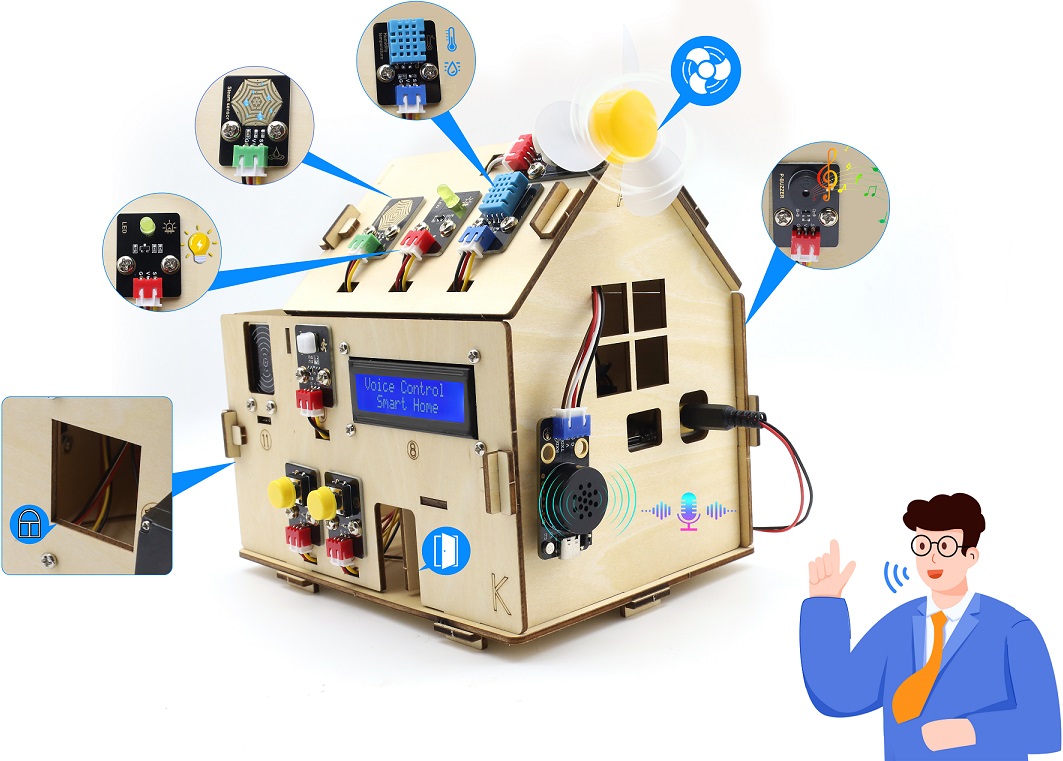
对着智能语音模块上的麦克风,使用唤醒词 “你好,小智” 或 “小智小智” 来唤醒智能语音模块,同时喇叭播放回复语 “有什么可以帮到您”;
智能语音模块唤醒后,对着麦克风说:“打开台灯” 或 “请开灯” 或 “开灯” 或 “打开灯” 或 “我回来了” 等命令词时,喇叭播放对应的回复语 “已为您打开照明”,同时LED点亮;
对着麦克风说:“调亮一点” 或 “亮一点” 等命令词时,喇叭播放对应的回复语 “灯光已调亮”,同时LED变亮;
对着麦克风说:“调暗一点” 或 “暗一点” 等命令词时,喇叭播放对应的回复语 “灯光已调暗”,同时LED变暗;
对着麦克风说:“关闭台灯” 或 “请关灯” 或 “关灯” 或 “睡觉了” 或 “关上灯” 或 “我出去了”等命令词时,喇叭播放对应的回复语 “已为您关闭照明”,同时LED熄灭;
对着麦克风说:“打开风扇” 或 “请开风扇” 或 “开风扇” 等命令词时,喇叭播放对应的回复语 “已为您打开风扇”,同时风扇转动;
对着麦克风说:“风大一点” 或 “大一点” 等命令词时,喇叭播放对应的回复语 “风速已增加”,同时风扇转速加快;
对着麦克风说 “风小一点” 或 “小一点” 等命令词时,喇叭播放对应的回复语 “风速已减弱”,同时风扇转速减慢;
对着麦克风说:“关闭风扇” 或 “请关风扇” 或 “关风扇” 或 “关上风扇” 等命令词时,喇叭播放对应的回复语 “已为您关闭风扇”,同时风扇不转;
对着麦克风说 “播放音乐” 等命令词时,喇叭播放对应的回复语 “已为您播放音乐”,同时蜂鸣器播放音乐;
对着麦克风说:“关闭音乐” 等命令词时,喇叭播放对应的回复语 “已为您关闭音乐”,同时蜂鸣器不响;
对着麦克风说:“打开红灯” 等命令词时,喇叭播放对应的回复语 “已为您打开红灯”,同时SK6812灯亮红色灯;
对着麦克风说:“关闭红灯” 等命令词时,喇叭播放对应的回复语 “已为您关闭红灯”,同时SK6812灯熄灭;
对着麦克风说:“打开蓝灯” 等命令词时,喇叭播放对应的回复语 “已为您打开蓝灯”,同时SK6812灯亮蓝色灯;
对着麦克风说:“关闭蓝灯” 等命令词时,喇叭播放对应的回复语 “已为您关闭蓝灯”,同时SK6812灯熄灭;
对着麦克风说:“打开绿灯” 等命令词时,喇叭播放对应的回复语 “已为您打开绿灯”,同时SK6812灯亮绿色灯;
对着麦克风说:“关闭绿灯” 等命令词时,喇叭播放对应的回复语 “已为您关闭绿灯”,同时SK6812灯熄灭;
对着麦克风说:“打开彩灯” 等命令词时,喇叭播放对应的回复语 “已为您打开彩灯”,同时SK6812灯亮彩色灯;
对着麦克风说:“关闭彩灯” 等命令词时,喇叭播放对应的回复语 “已为您关闭彩灯”,同时SK6812灯熄灭;
对着麦克风说:“开窗” 或 “打开窗户”等命令词时,串口打印命令参数 “57”,同时喇叭播放对应的回复语 “已为您打开窗户”;
对着麦克风说:“关窗” 或 “关闭窗户” 等命令词时,串口打印命令参数 “58”,同时喇叭播放对应的回复语 “已为您关闭窗户”;
对着麦克风说:“开门” 或 “打开门”等命令词时,串口打印命令参数 “59”,同时喇叭播放对应的回复语 “已为您打开门”;
对着麦克风说:“关门” 或 “关闭门” 等命令词时,串口打印命令参数 “60”,同时喇叭播放对应的回复语 “已为您关闭门”;
对着麦克风说:“当前雨水量是多少” 或 “当前雨量多少” 等命令词时,接着语音播报 “正在为您读取当前雨水量” + “当前雨水量为百分之” + “水滴传感器模拟值通过计算转化成的雨水量百分数值”;
对着麦克风说:“当前温度是多少” 或 “当前温度多少” 等命令词时,接着语音播报 “正在为您读取温度” + “当前温度为” + “XHT11温湿度传感器检测到的温度值” + “度”;
对着麦克风说:“当前湿度是多少” 或 “当前湿度多少” 等命令词时,接着语音播报 “正在为您读取湿度” + “当前湿度为百分之” + “XHT11温湿度传感器检测到的湿度值”。